The commerce backend
you can run yourself.
Catalog, checkout, content and email in one core, behind a typed API. Hosted by Stellar Hosting or on your own servers.
Four subscriptions.
One core.
A typical headless stack rents a commerce API, a CMS, a search index and an email service, then keeps them in sync. Stellar Commerce ships them as one Rust core on one PostgreSQL database, with one Admin.
Commerce
Published catalog, contextual prices, exact tax, ledger inventory, carts, checkout, orders, returns and claims.
Content
Pages, navigation, localized content, content models and a media library, published on your terms.
Catalog search
A rebuildable search projection over your published products, served from the same API as everything else.
Order confirmations, account mail and reminders rendered from versioned templates and sent through your provider.
Your frontend.
Our contract.
Install the SDK
One TypeScript package generated from the versioned OpenAPI contract. Fetch-based and framework-free.
Point it at your Store
A publishable key and a sales channel are all a client needs. Shopper sessions stay on your server.
Ship what you want
Astro, Next, a native app or a trade portal. The reference storefront and the starter show one way; nothing forces you to copy it.
import {
  createClient, getStorefrontContext, listStoreProducts,
} from '@stellarcommerce/sdk';

const client = createClient({
  baseUrl: process.env.STELLAR_COMMERCE_API_URL,
  auth: (scheme) => (scheme.name === 'x-publishable-key' ? key : undefined),
  headers: { 'X-Sales-Channel-Id': channelId },
});

const context = await getStorefrontContext({ client });
const products = await listStoreProducts({
  client,
  query: { limit: 3, sort: 'published_at_desc' },
});

// Connected to Store st_7f2… (EUR, nl-NL), 3 products
Engineering
Exact where it matters.
Prices are decimals, not floats.
Every price, tax component and total is exact decimal arithmetic. Net plus tax equals gross, on every line, in every currency.
One offer, one transaction.
Price, tax and stock for a product are read in one database snapshot. A shopper never sees a price from one moment and stock from another.
Orders are snapshots.
An order keeps the prices, rates and discounts that applied when it was placed. Later changes to your catalog never rewrite history.
Every tenant is isolated at the database.
Row-level security and per-transaction tenant scoping from the first migration. Not a filter in application code.
A back office your team will actually open.
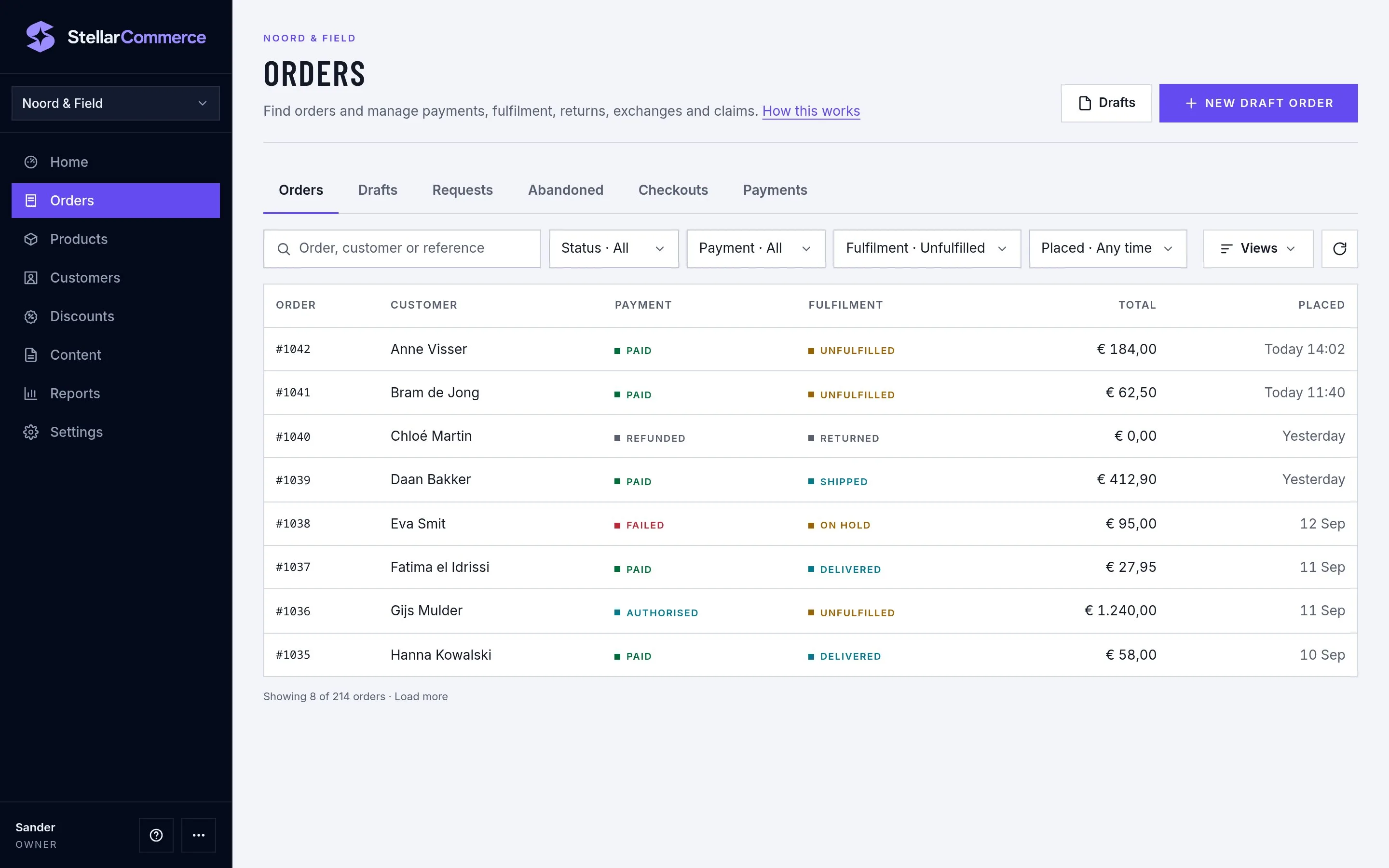
Eight destinations, one level of boxes, and the scope named on every page. Orders, products, customers, discounts, content, reports and settings for every Store on the account.
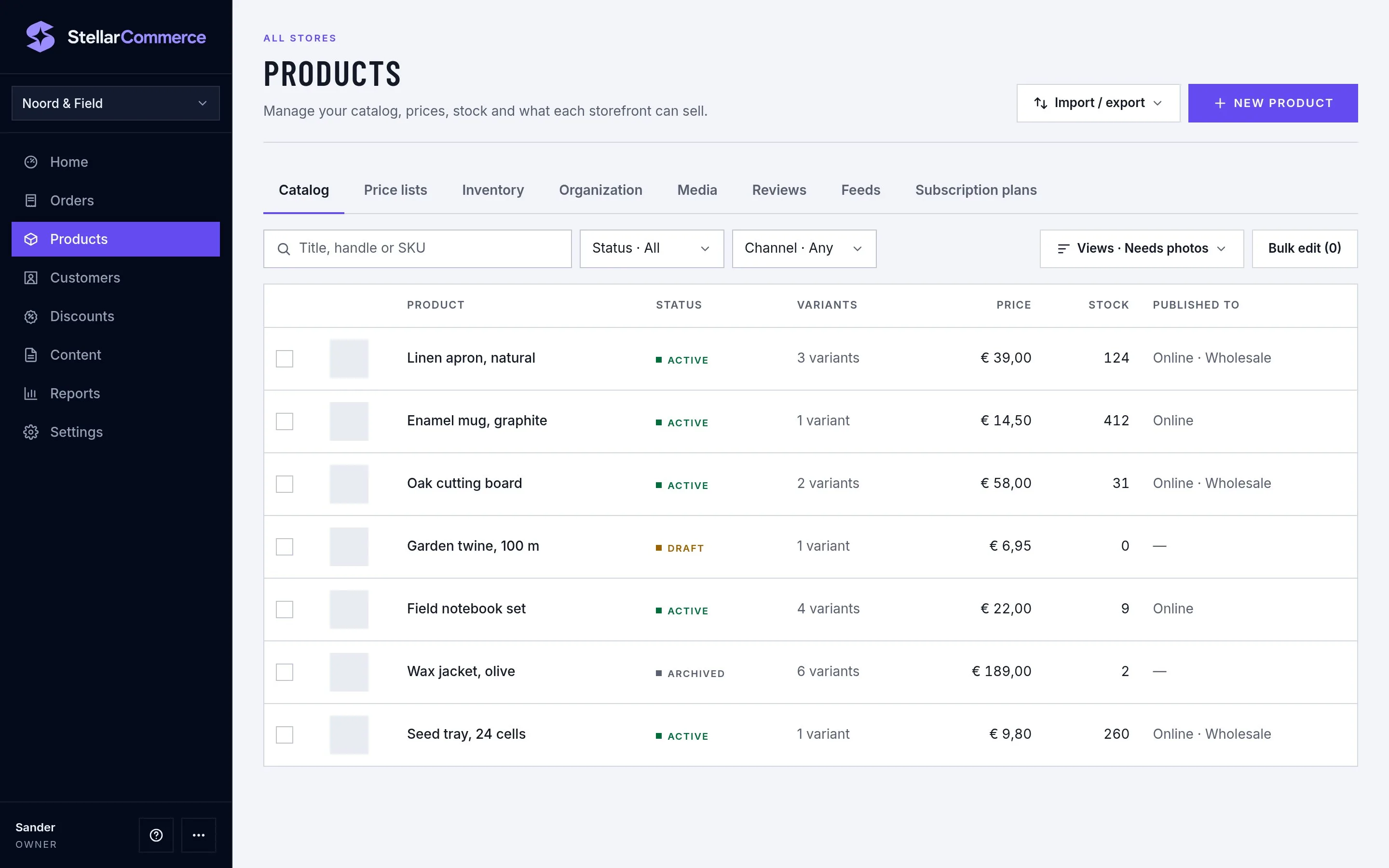
Several Stores, one account
Separate catalogs, customers and content per brand, with products shared where you want them.
Customer groups and B2B prices
Group prices, quantity tiers and scheduled price lists. The wholesale client is a working example.
Promotions and gift cards
Codes, automatic discounts, Buy X Get Y, stackable by rule. Gift cards and store credit with exact settlement.
Webhooks and product feeds
Signed deliveries with retries, analytics events and a Google Merchant Center feed.
Team roles with MFA
Invitations, roles per Store, one-time codes and recovery codes. Platform operators are a separate login.
Saved views and imports
Save filters per person or device, import and export the catalog as a spreadsheet.
Hosting
Run it your way.
Hosted by Stellar Hosting
We run the core, the worker, the database, backups and upgrades. You get a Store, an Admin and API keys after signing up, and you build the frontend.
On your own servers
The same release as one API binary, one worker and PostgreSQL. Install, upgrade, backup and restore guides are part of the product, not a support ticket.
Start with a Store,
not a migration project.
Create an account, get a Store and connect the starter. Your existing shop keeps running while you build.